RPi Generator Control
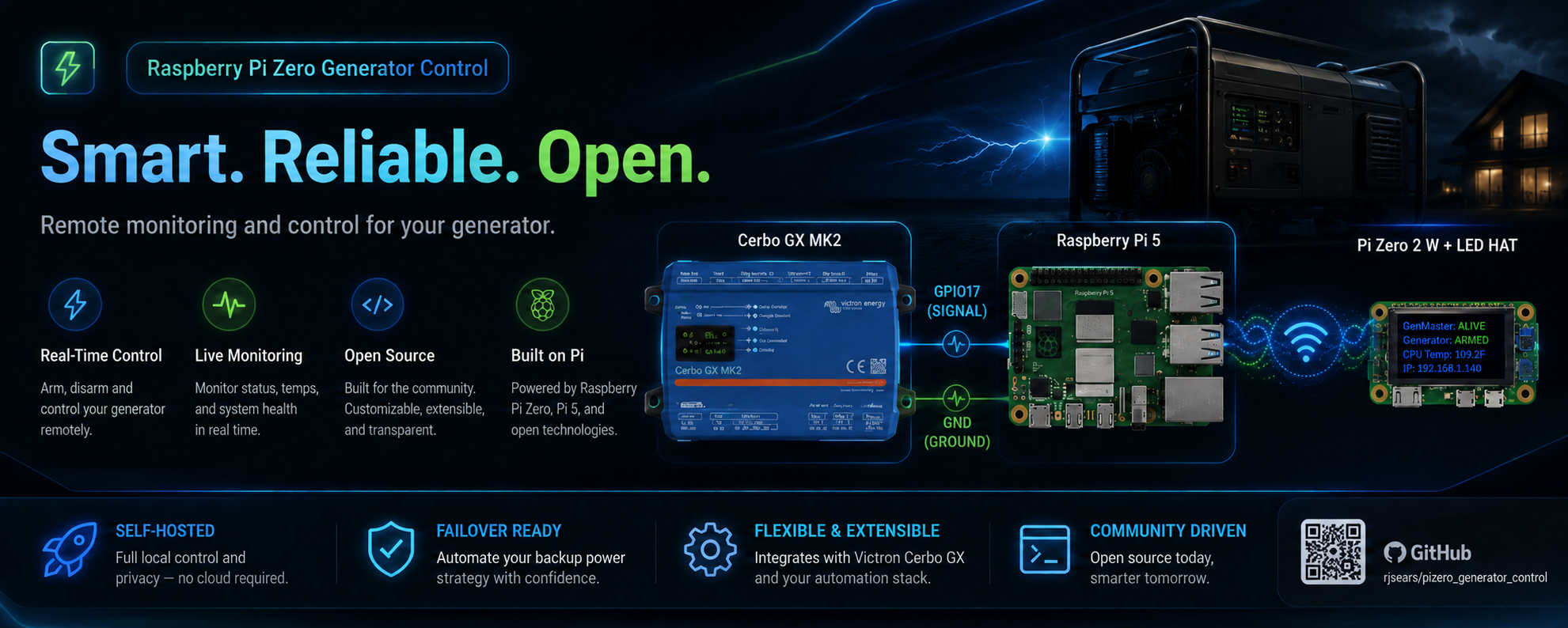
A working (in production in my system), distributed generator control system designed for off-grid solar installations with Victron energy systems. Built on a master-slave architecture using Raspberry Pi devices, it provides automated generator management with manual override capabilities, scheduling, and real-time monitoring through a modern web interface.
Overview
The RPi Generator Control system automates generator management for off-grid solar installations. When your Victron Cerbo GX determines that battery levels are low and generator power is needed, it sends a signal to GenMaster, which coordinates with GenSlave to physically start the generator.
-
Automated Control
Automatic generator start/stop based on Victron signals, schedules, and manual commands.
-
Safety First
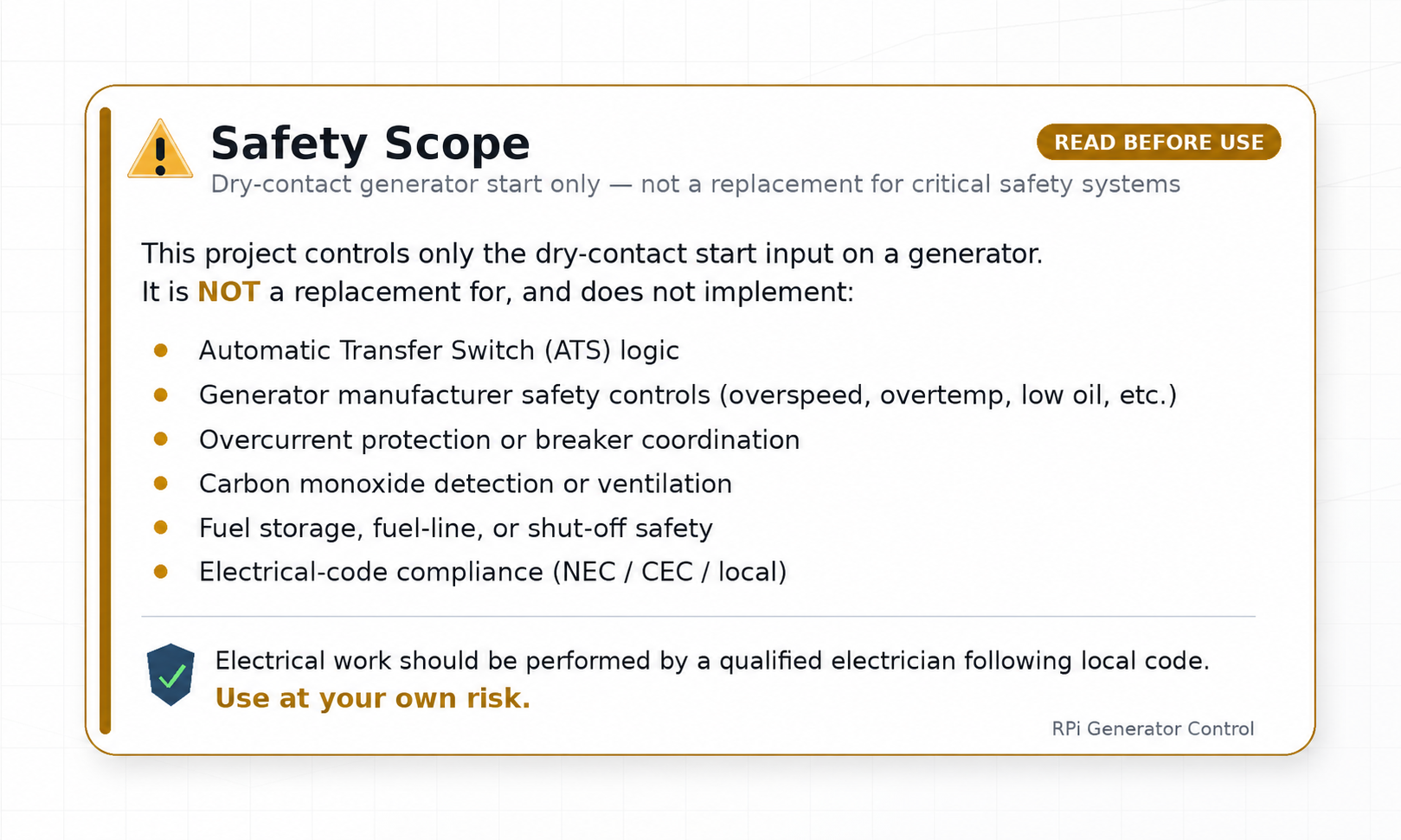
Arming system, failsafe watchdog, and heartbeat monitoring ensure safe operation.
-
Scheduling
Automated exercise runs and scheduled operations keep your generator healthy.
-
Notifications
Get alerts via Telegram, Slack, email, and 80+ other services via Apprise.
Architecture
The system uses a master-slave architecture with two Raspberry Pi devices:
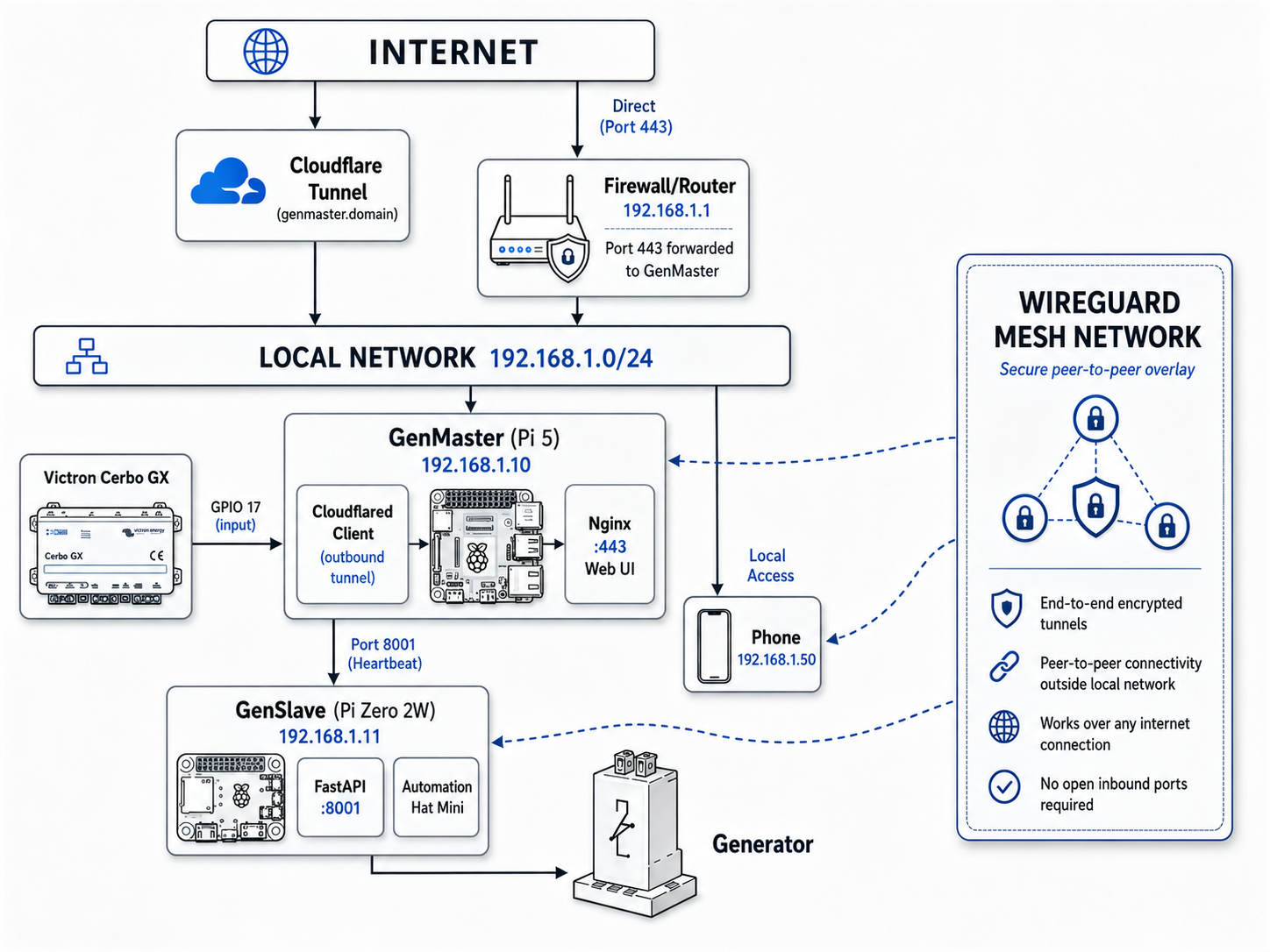
Full Architecture Documentation
Key Features
Automated Control
- Victron Integration - Monitors GPIO signal from Cerbo GX relay
- Scheduled Runs - APScheduler-based scheduling with flexible timing
- Exercise Runs - Regular maintenance runs to keep generator healthy
- Manual Override - Force start/stop from web UI regardless of signals
Reliability & Safety
- Arming System - Explicit arm/disarm prevents accidental operations
- Heartbeat Monitoring - Continuous health checks between devices
- Independent Failsafe - GenSlave auto-stops generator if communication lost
- Hardware EPO (optional) - Mushroom E-stop at the generator. NC contact physically interrupts the start circuit — a maintenance lockout that works even if every Pi is offline. See Hardware Switches.
- HOA Selector (optional) - 3-position rotary at the operator location for Quiet / Auto / Run modes — operator-side mode control without touching the web UI
- State Persistence - PostgreSQL database survives reboots
Modern Interface
- Real-time Dashboard - Live status updates via WebSocket
- Dark/Light Mode - System preference detection
- Mobile Responsive - Works on any device
- Container Management - Portainer integration
Fuel Tracking
- Per-Run Tracking - Automatic fuel consumption calculation
- Generator Profile - Store manufacturer, model, serial number
- Usage History - Track runtime and fuel over time
Quick Start
Both GenMaster and GenSlave install via interactive setup.sh scripts.
The scripts handle Docker installation, environment configuration, secret
generation, and systemd integration — they are the recommended install
path. Manual install is possible but not covered here.
1. Deploy GenMaster (on the Pi 5)
# Single-command install — pulls and runs the setup script
curl -fsSL https://raw.githubusercontent.com/rjsears/pizero_generator_control/main/genmaster/install.sh | sudo bash
The setup script will install Docker, generate a .env file, prompt for
the values it can't infer (timezone, generator info, optional notification
URLs), pull the GenMaster image from Docker Hub, and start all containers.
When it finishes, you'll have a working GenMaster on https://<pi-ip> with
the API secret already generated. Note the displayed SLAVE_API_SECRET
value — you'll need it on the GenSlave side in step 2.
2. Deploy GenSlave (on the Pi Zero 2W)
# SSH into the Pi Zero
ssh pi@genslave.local

# Download and run the setup script
curl -fsSL https://raw.githubusercontent.com/rjsears/pizero_generator_control/main/genslave/setup.sh -o setup.sh
chmod +x setup.sh
sudo ./setup.sh
The setup script will install Docker, prompt you for the API secret
(press Enter to auto-generate a new one, or paste GenMaster's
SLAVE_API_SECRET from step 1 to use that), pull the GenSlave ARM image,
configure systemd, and start the container.
If you auto-generated the secret on this side, copy the displayed value
back into GenMaster's SLAVE_API_SECRET (in genmaster/.env or via the
GenMaster UI under Settings → GenSlave Configuration).
3. Configure Tailscale (recommended)
4. Access Web UI
Open https://your-genmaster-ip and log in.
Documentation
| Guide | Description |
|---|---|
| Generator Controls | Start, stop, arm/disarm, overrides |
| Scheduling | Scheduled and exercise runs |
| Victron Integration | GPIO signal monitoring, overrides |
| GenSlave Setup | Hardware, installation, configuration |
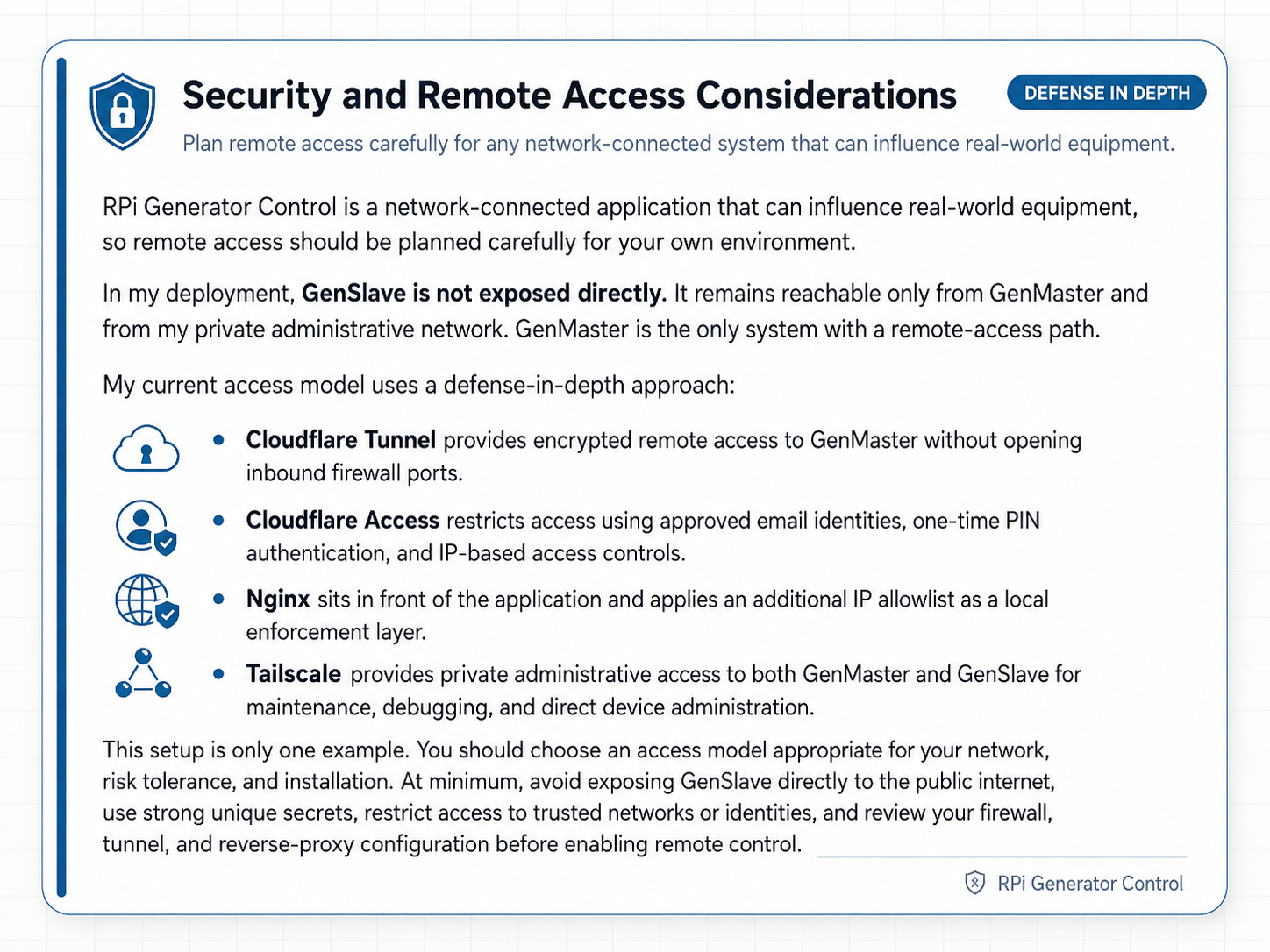
| Tailscale VPN | Secure device communication |
| Cloudflare Tunnel | Remote web access |
| Notifications | Alerts via 80+ services |
| Troubleshooting | Common issues and solutions |
Technology Stack
- Python 3.11+
- FastAPI 0.109+
- SQLAlchemy 2.0+ (async)
- PostgreSQL 16
- APScheduler 3.10+
- gpiozero + lgpio
- Vue.js 3.4+ (Composition API)
- Pinia state management
- Tailwind CSS 3.4+
- Chart.js + vue-chartjs
- Vite 5.1+
- Docker + Docker Compose
- Nginx reverse proxy
- Redis caching
- Tailscale VPN
- Cloudflare Tunnel
License
MIT License - See LICENSE for details.
Author
Richard J. Sears - GitHub